
Metamorphabet
VectorparkEducational
4.666.00 Reviews
- Version
- 1.4
- Installs
- 10.00K
- Age Rating
- Everyone
Screenshots
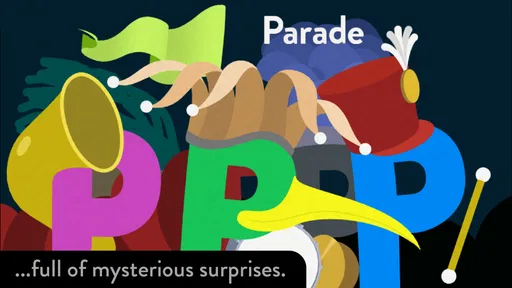
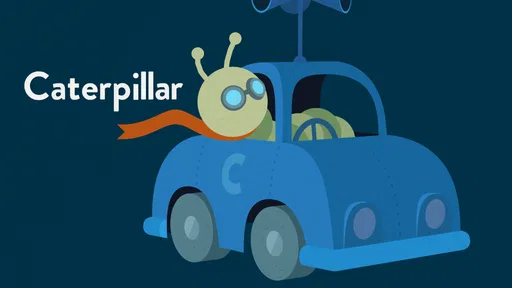
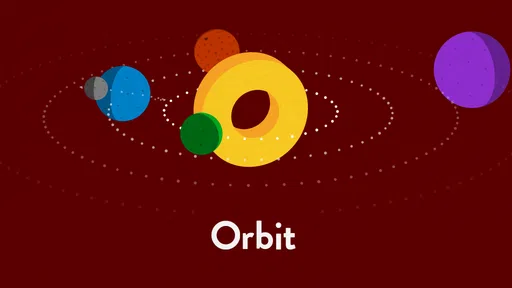
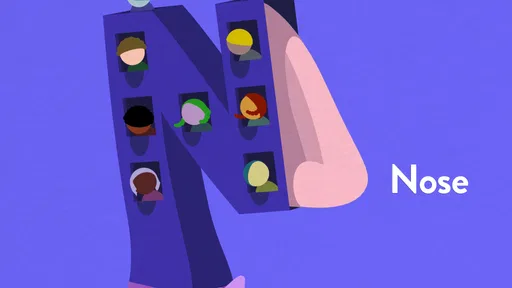
Our Review of Metamorphabet
 Analysis by Appyee
I approached Metamorphabet expecting a simple alphabet activity and found something closer to a small interactive art toy. Each letter invites touch, movement, and curiosity rather than drilling a child with questions or rewarding speed. My main takeaway is clear: this is best understood as a calm, tactile way to become comfortable with letter shapes, not as a complete reading course.
That distinction matters. The game comes from Vectorpark, a developer known for playful visual interaction, and its educational category can make it sound more conventional than it feels in use. The experience is aimed at all ages, carries an Everyone rating, and works particularly well when an adult sits nearby and treats each letter as a prompt for conversation. I would recommend it to families who value discovery and visual creativity, while readers looking for phonics lessons, spelling practice, or measurable progress should look elsewhere.
What makes the alphabet feel worth exploring
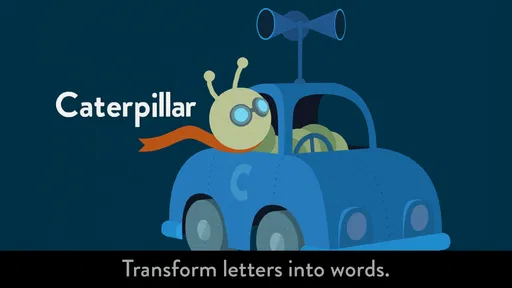
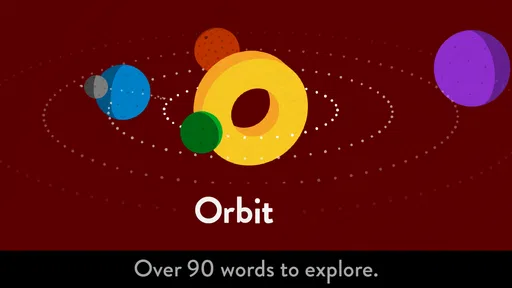
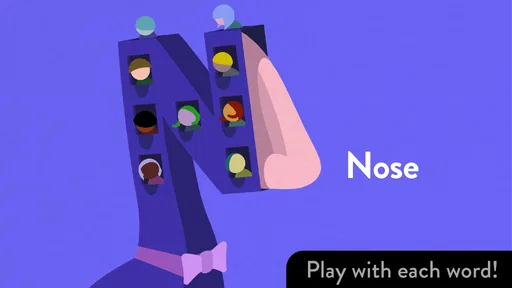
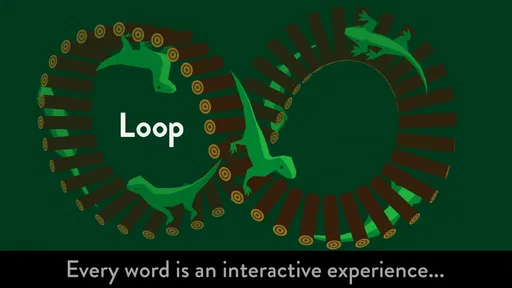
The central pleasure is seeing letters behave like objects rather than staying flat symbols. I can tap, drag, and experiment with the screen, then watch a familiar character change into an animated scene or visual idea. The interaction is intentionally open-ended. There is no pressure to finish a level quickly, and the child is encouraged to notice what happens when the screen is touched in different ways.
This approach gives the alphabet a physical personality. A letter becomes something to investigate, which can help a young learner remember its outline through movement and surprise. It is not teaching through repetition alone; it uses attention. In my experience, that makes the game especially engaging for children who lose interest when educational software feels like a worksheet on glass.
The strongest design choice is its restraint. The screen is not crowded with menus, competing buttons, or long instructions. That makes it easy for a child to begin exploring, but it also means the adult may need to supply the learning structure. I found that asking, “Which letter is this?” or “What changed when you touched it?” turns a brief visual moment into a useful language activity.
For a preschooler, the game can support recognition of letter forms and encourage careful observation. For an older child, it can become a creative break or a way to revisit the alphabet without feeling as though they are repeating beginner work. Adults may also enjoy the polished transformations as a short, relaxing interactive experience. The all-ages positioning feels believable because the presentation is not limited to one narrow age group.
A better way to use it with a child
I would not hand this over with the expectation that it will teach independently from start to finish. A more effective routine is to explore a few letters together, say each letter aloud, and connect it to a word from the child’s everyday life. If a child sees a letter that reminds them of “sun,” “dog,” or their own name, pause there and let the conversation grow. The game supplies the visual spark; the adult supplies the vocabulary and context.
One useful tactic is to let the child lead the first pass without correction. On a second pass, ask them to find a particular letter or describe what they remember. This turns free play into a gentle recall exercise without changing the relaxed tone. It also reveals whether the child is recognizing the letter itself or simply remembering an animation.
Another worthwhile habit is to use it before a related offline activity. After exploring a few letters, I might move to magnetic letters, drawing, or a picture book and ask the child to spot the same shapes. That bridge is important because the game’s learning value becomes stronger when the screen experience connects to printed letters and spoken sounds.
It can also work well during a short waiting period. A parent dealing with a quiet café visit, a travel pause, or a few minutes before bedtime can offer it as an activity that feels calmer than a fast-paced game. I would keep the session purposeful rather than leaving it running in the background. Its charm comes from attention, and passive viewing loses much of the benefit.
Where it differs from ordinary alphabet apps
Many alphabet apps take a lesson-based route: show a letter, pronounce it, ask for a match, then move to the next task. That format is better when the goal is direct practice and visible repetition. Metamorphabet takes the opposite path. It asks the learner to explore a letter’s visual identity before turning it into a quiz answer.
Compared with flashcards, it offers more sensory interest and less explicit recall testing. Compared with phonics software, it provides less direct support for connecting letters with sounds. Compared with a drawing app, it has a clearer educational focus but less freedom to create something from scratch. I see it as a companion to those tools, not a replacement for them.
The trade-off is easy to feel. A child who loves animation and experimentation may stay engaged longer here than with a conventional drill. A child who needs clear instructions, repeated sound practice, or a reward for every correct response may find the open-ended design confusing or underpowered. Parents should choose based on the learning goal, not simply on the fact that the game contains the alphabet.
The current version is 1.4, and the experience feels deliberately focused rather than overloaded with modern app conventions. I appreciate that focus, although users accustomed to extensive settings, progress dashboards, or multiple activity modes may initially wonder where the rest of the lesson structure is. The simplicity is part of the identity, but it also sets a firm limit on what the game can accomplish.
Small details that change the experience
The first non-obvious strength is that the game rewards slow hands. Rapid tapping is less useful than trying one deliberate touch, watching the response, and then experimenting again. I found that giving a child permission to pause produces better observation than telling them to hurry through the alphabet. This makes it unusually suitable for children who become frustrated by timed activities.
The second is its value as a conversation starter for mixed ages. An older sibling can ask a younger child to identify a letter, while the younger child can show the older one a transformation they discovered. That shared role avoids turning the older child into a teacher and the younger one into a test subject. The game becomes a social object rather than a solitary exercise.
The third is that it can expose a common learning gap: recognizing a letter in an animated context is not the same as recognizing it on paper. After a session, I would deliberately write or print a few of the letters and ask the child to compare them. If they struggle, that is not a failure of the game; it is a sign that the next activity should move away from the screen and toward ordinary reading materials.
A fourth insight is about pacing. Exploring the whole alphabet in one sitting may sound efficient, but it can flatten the sense of discovery and make the later letters less memorable. Shorter visits with a handful of letters give the child room to revisit favorites and talk about them. The app works best when treated as a recurring invitation, not a checklist to complete once.
The limitations I noticed
The biggest weakness is the lack of a conventional instructional spine. I did not experience it as a sequence that steadily builds from letter recognition to sound blending, spelling, or reading. That means parents expecting a self-contained literacy curriculum may be disappointed, especially if they want clear evidence of advancement after each session.
The game’s visual creativity can also compete with the educational target. A child may remember that something funny happened on a particular screen without remembering which letter caused it. This is why adult prompting matters. A simple question before and after an interaction can redirect attention toward the symbol instead of the spectacle.
There is also a mismatch between its price and the expectations some families bring to paid educational software. At $5.99, I think it is reasonable for a carefully made, focused experience, but buyers should not expect a large library of lessons or a broad suite of literacy tools. Its value depends on whether you appreciate a refined single-purpose experience rather than a subscription-style learning platform.
The audience size gives some context: it has passed ten thousand installs, with an average rating of 4.6 from around two hundred forty ratings and roughly sixty-six written reviews. Those figures suggest a positive reception among its users, but they should not be read as proof that every child will respond to the same quiet, exploratory format. A child’s temperament and the adult’s expectations matter more here than popularity alone.
Who should choose it, and who should skip it
I would choose this for a preschool child who enjoys visual surprises, tactile play, and open-ended discovery. It is also a good fit for parents who want to sit beside a child and talk about letters rather than outsource the entire lesson to an app. Teachers or caregivers could use it as a warm-up before a craft, story, or letter-sorting activity, provided they add the spoken and printed practice themselves.
I would be more cautious for a child who needs explicit audio guidance, structured repetition, or frequent confirmation that an answer is correct. If the main goal is learning letter sounds, building a first vocabulary, or practicing early spelling, a dedicated phonics or literacy program will probably be more useful. The same is true for families who want progress reports or a sequence that tells them exactly what to teach next.
Device compatibility should be checked before buying because the minimum operating-system requirement is iOS 12. The game is available as a paid title rather than a free trial experience, so I would make the purchase decision based on its artistic, exploratory style. The Everyone age rating makes it broadly suitable from a content perspective, but age suitability and educational fit are not identical: a very young child may need help, while an older child may want more challenge.
Making the purchase decision
Before choosing it, I would ask what I actually want the child to do after putting the device down. If the answer is “notice letters, talk about their shapes, and feel curious about words,” this game fits naturally. If the answer is “sound out unfamiliar words without help,” it is not enough on its own. That simple distinction helps avoid paying for a lovely experience while expecting it to solve a different learning problem.
For a realistic routine, imagine a child waiting while dinner is being prepared. I would invite them to explore a few letters, then ask them to find one of those shapes on a food package or in a picture book. That small transition tests whether the screen activity is carrying over, without turning a quiet moment into a formal lesson. If the child only wants to watch the animation, I would enjoy the play for what it is and use another time for explicit practice.
The decision also depends on who will be present. A caregiver who enjoys asking open questions can draw more learning from the experience than someone who needs an app to lead every step. That is not a flaw in the child or the adult; it is simply a poor match if independent instruction is the priority. For a hands-off learning routine, a structured literacy tool is the more practical choice.
Practical expectations before you begin
Since it is a paid purchase, I would treat the decision as a choice of style rather than a bet on a long curriculum. Its appeal is concentrated in tactile exploration, visual invention, and conversation. The rating and audience figures offer a useful snapshot of reception, but they cannot predict whether a particular child will prefer open discovery to clear tasks. If possible, think about how that child responds to picture books, puzzles, and unstructured creative play.
Parents may also wonder whether a session needs to follow a fixed order. I would not impose one. Letting a child linger on a letter they enjoy can be more productive than insisting on moving through the alphabet in sequence. To keep the activity grounded, occasionally name the letter, say its sound, and then look for the shape elsewhere. This gives the child a gentle anchor without turning every interaction into a test.
Another question is whether it can stand in for physical materials. I would say no: the most useful follow-up is something simple and tangible, such as tracing a letter in the air, drawing it, or spotting it in print. The contrast helps a child see that the animated form is one playful presentation of a symbol they will meet in books and signs. That transfer is where a parent can add value beyond the screen.
My verdict after using it
Metamorphabet succeeds because it treats letters as things worth noticing. Its strongest moments come from the combination of touch, transformation, and quiet curiosity, and those qualities make alphabet exploration feel less like memorization. Vectorpark has created a distinctive educational game rather than another set of flashcards, and that difference is exactly why some families will love it.
My recommendation is specific: buy it if you want a beautiful, low-pressure alphabet companion to use with conversation and offline practice. Do not buy it expecting a complete reading course, a phonics trainer, or a progress-tracking system. Its real strength is turning letter recognition into shared discovery.
For me, that is enough to justify keeping it in a child’s learning rotation, as long as it sits beside books, handwriting, sounds, and real-world words. It is a focused experience with genuine educational potential, but the adult has to connect the playful screen moments to broader literacy. When used that way, Metamorphabet feels thoughtful, memorable, and worth returning to.
Verdict
Strengths of Metamorphabet
- Creative letter animations make learning the alphabet entertaining.
- Simple controls are suitable for young children to use independently.
- Bright visuals and playful sounds keep children engaged.
- Works well as a quiet, screen-based activity without competitive pressure.
- Each letter encourages curiosity through interactive visual changes.
Limitations of Metamorphabet
- Limited educational depth beyond letter recognition and exploration.
- No built-in progress tracking for parents or teachers.
- Some animations may be too abstract for very young learners.
- Replay value can decrease once children discover every letter.
- Requires device audio for the full experience, which may not suit all settings.
Similar Picks in This Category
View All
Little Panda Policeman
BabyBus4.0

Monster Trucks Game for Kids 2
Raz Games4.1

Little Panda's Chinese Recipes
BabyBus4.4

Little Panda's Restaurant
BabyBus4.4

Little Panda's Ice Cream Games
BabyBus4.3

Baby Panda Care
BabyBus3.8
Frequently Asked Questions
What is Metamorphabet, and how does the game work?
Metamorphabet is an interactive educational game that introduces children to letters, words, and language through playful animations. Each letter reacts to touch and transforms into objects or creatures related to its sound or shape. Rather than following traditional levels or quizzes, the experience encourages children to explore freely, tap objects, listen to spoken words, and discover visual changes at their own pace.
Is Metamorphabet suitable for young children?
Yes. Metamorphabet is primarily designed for preschool and early-learning children, although its imaginative presentation can also appeal to older children and adults. The controls are simple, with no complicated menus or difficult objectives. Parents should still consider their child’s reading and language level, because the game uses spoken English and may be most useful for children beginning to recognize letters and vocabulary.
Does Metamorphabet require an internet connection?
Metamorphabet is generally intended to be enjoyed as an offline experience once it has been installed, which makes it convenient for travel, waiting rooms, or other situations without reliable internet access. However, download requirements, updates, and store verification may still require a connection. It is sensible to install and open the app before traveling to confirm that all content works properly offline.
Is Metamorphabet educational, or is it mainly an entertainment game?
Metamorphabet combines education and entertainment rather than presenting formal lessons. Children become familiar with letter shapes, sounds, spoken vocabulary, and simple associations while interacting with animated scenes. It does not replace structured reading instruction, but it can be a creative supplement that makes early language exploration enjoyable. Parents may get the most value by playing alongside children and discussing the words they hear.
Does Metamorphabet contain advertisements, in-app purchases, or parental controls?
The app is presented as a focused children’s experience rather than an ad-supported game, but parents should always check the current Google Play or App Store listing because pricing, purchase options, and platform policies can change. Before handing over a device, review the store settings and disable unauthorized purchases if necessary. The minimalist design also means it may not include extensive parental-control features found in larger children’s apps.
Play our best games!


